Now Live · Chrome Web Store · Version 1.0.1

Export ChatGPT
to Perfect PDF.

The most powerful ChatGPT print customization tool. Dark & light themes, custom headers, watermarks, message styling — all from one elegant Chrome extension.

★★★★★ Free · No account required · 100% local · Privacy first
✓ Live on Chrome Store
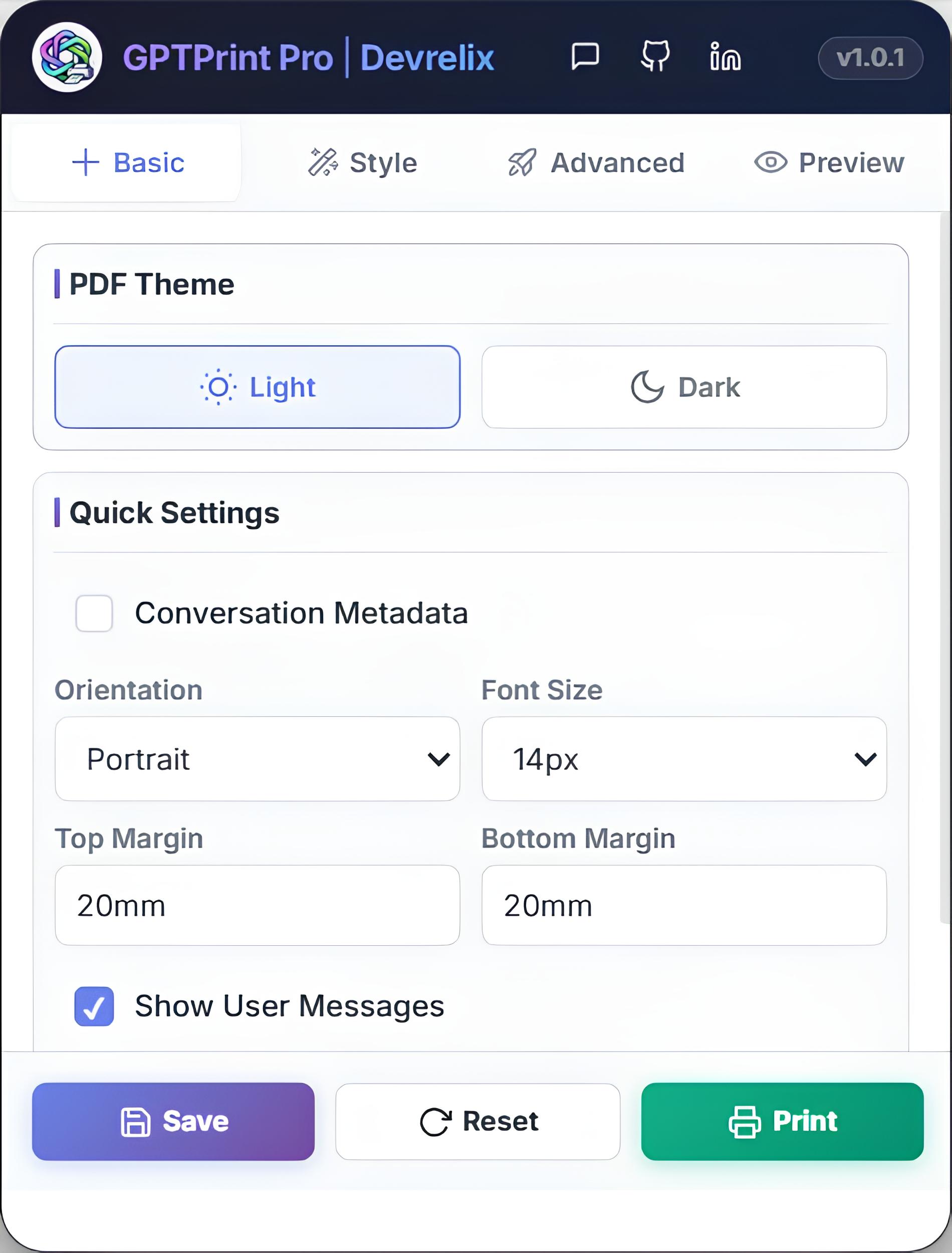
GPTPrint Pro extension — Basic tab
📄 PDF exported — Just now
100%
Free, always
4
UI panels
2
PDF themes
0
Data collected
Capabilities

Everything you need
to print perfectly.

Full control over how your ChatGPT conversations look on paper — or as a PDF you're proud to share.

Structured PDF Export
Export any ChatGPT conversation into a clean, well-formatted PDF — ready to share, present, or archive in seconds.
Dark & Light Themes
Choose between a crisp light mode for documents or a sleek dark mode for presentations. A4-optimised both ways.
Custom Header
Add a branded header with custom title, subtitle, colour, alignment, and font sizes. Perfect for professional exports.
Watermark Control
Add custom watermarks with full control over text, position, rotation, opacity and size to brand every export.
Message Styling
Individually style user and AI messages — custom colours, alignment, and border radius for each role.
Live Preview
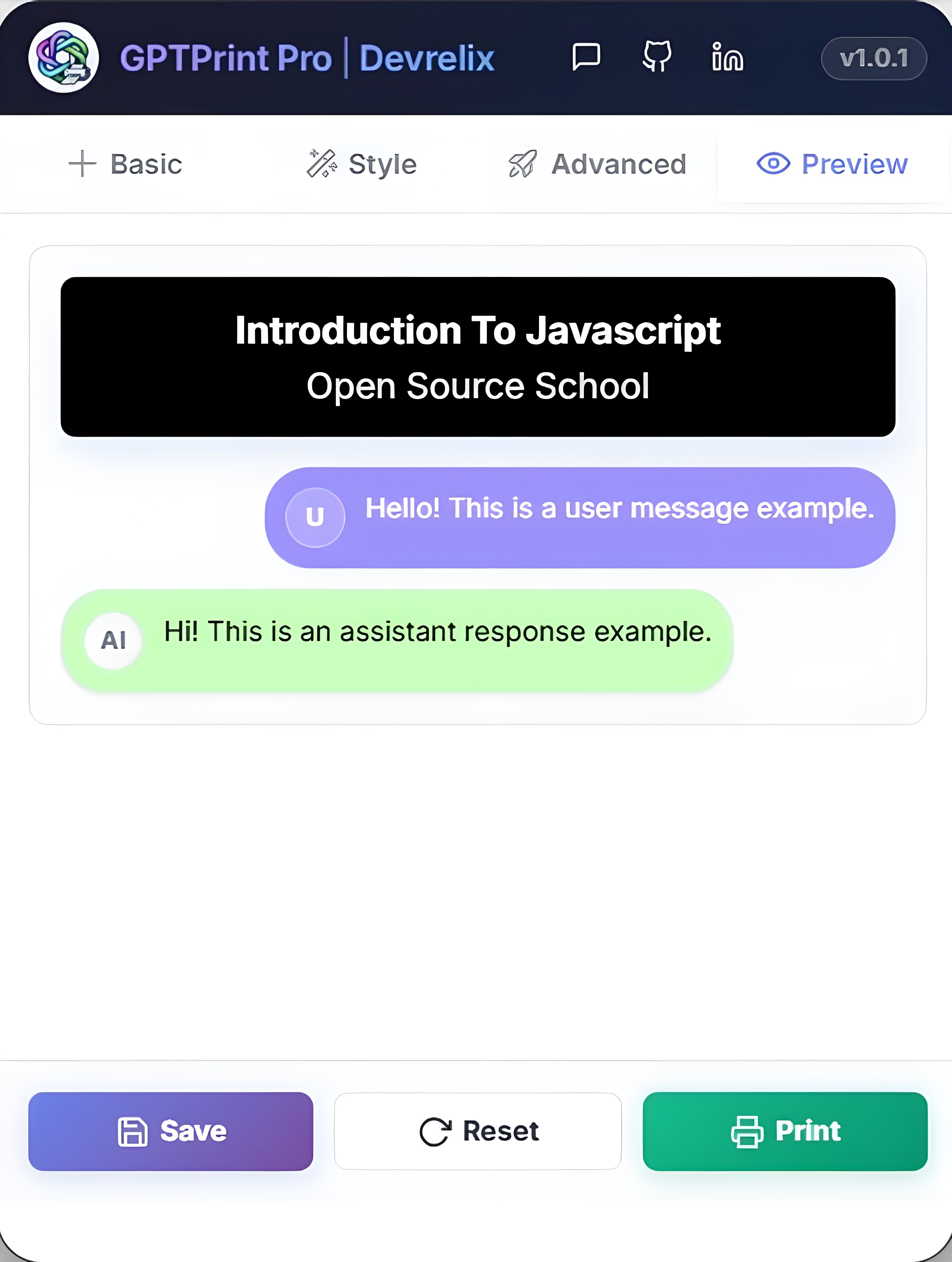
Real-time preview panel updates instantly as you change every setting — see exactly what you'll get before printing.
Simple by design

Three steps.
Perfect PDF.

01
Install from Chrome Web Store
One click. No account, no sign-up, no permissions you didn't ask for. Free and instant.
02
Open any ChatGPT conversation
Go to ChatGPT, open a conversation, and click the GPTPrint Pro icon in your Chrome toolbar.
03
Customise and export
Set your theme, style messages, add a header or watermark — hit Print. Done in seconds.
GPTPrint Pro preview panel showing a live ChatGPT PDF preview
Chrome Web Store

Official listing details.

Everything you need to know — directly from the published extension listing.

GPTPrint Pro icon
GPTPrint Pro
by Devrelix Tech · Workflow & Planning
★★★★★ New release · Version 1.0.1 · Updated Feb 26, 2026

GPTPrint Pro lets you print ChatGPT conversations, export ChatGPT to PDF, and fully customise how your AI chats look when saved or shared. Whether you're a student, developer, teacher, researcher, or professional — this extension gives you complete control over your ChatGPT print layout.

🎨 Theme Control
  • Light & Dark print mode
  • Clean background formatting
  • A4 optimised layout
  • Professional PDF-ready design
🧑‍💻 Message Customization
  • Customise user & assistant message colours
  • Control alignment — left, center, or right
  • Rounded corner radius styling
  • Hide user or assistant messages selectively
📄 Professional Header
  • Add custom title and subtitle
  • Adjustable alignment & font size
  • Perfect for branded PDF exports
💧 Watermark Support
  • Custom watermark text
  • Adjustable opacity and multiple positions
  • Rotation control — ideal for branding & documentation
📊 Advanced Layout Options
  • Page orientation — Portrait or Landscape
  • Custom top and bottom margins
  • Font family and custom font size selection
  • Include conversation metadata
🎯 Perfect For
  • Students printing study notes from ChatGPT
  • Developers documenting AI-generated solutions
  • Teachers sharing AI explanations with students
  • Researchers exporting and archiving conversations
  • Professionals creating client-ready PDF reports
GPTPrint Pro
Free Chrome Extension by Devrelix
Add to Chrome — Free
Version 1.0.1
Updated Feb 26, 2026
Offered by Devrelix Tech
Size 56.81 KiB
Language English
Category Workflow & Planning
Privacy — 100% Local
Not being sold to third parties
Not used for unrelated purposes
Works entirely in your browser
Your conversations never leave your device
Free Chrome Extension

Start printing
better conversations.

Install GPTPrint Pro in one click. No account, no credit card, no catch.

Verified · Safe · No data collection · Works on chatgpt.com